

Build-a-Board
Custom keyboards simplified, one part at a time
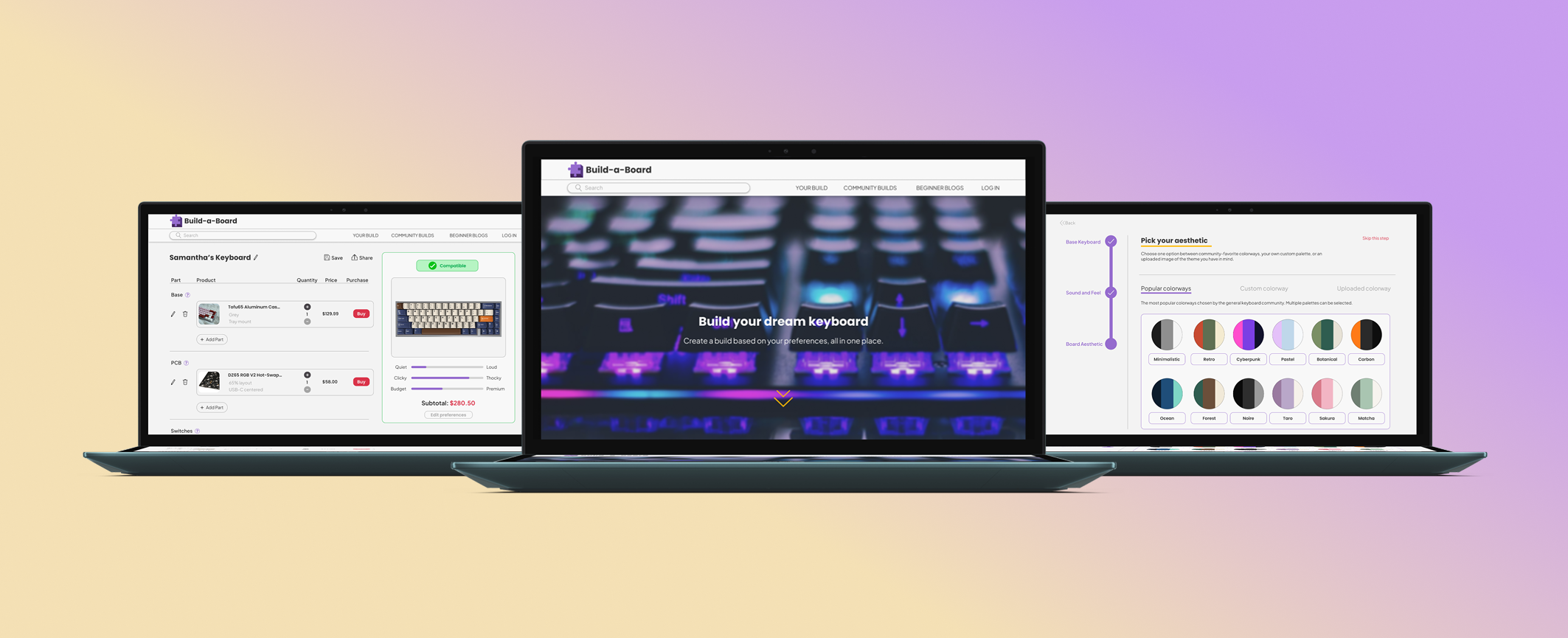
Introducing: Build-a-Board
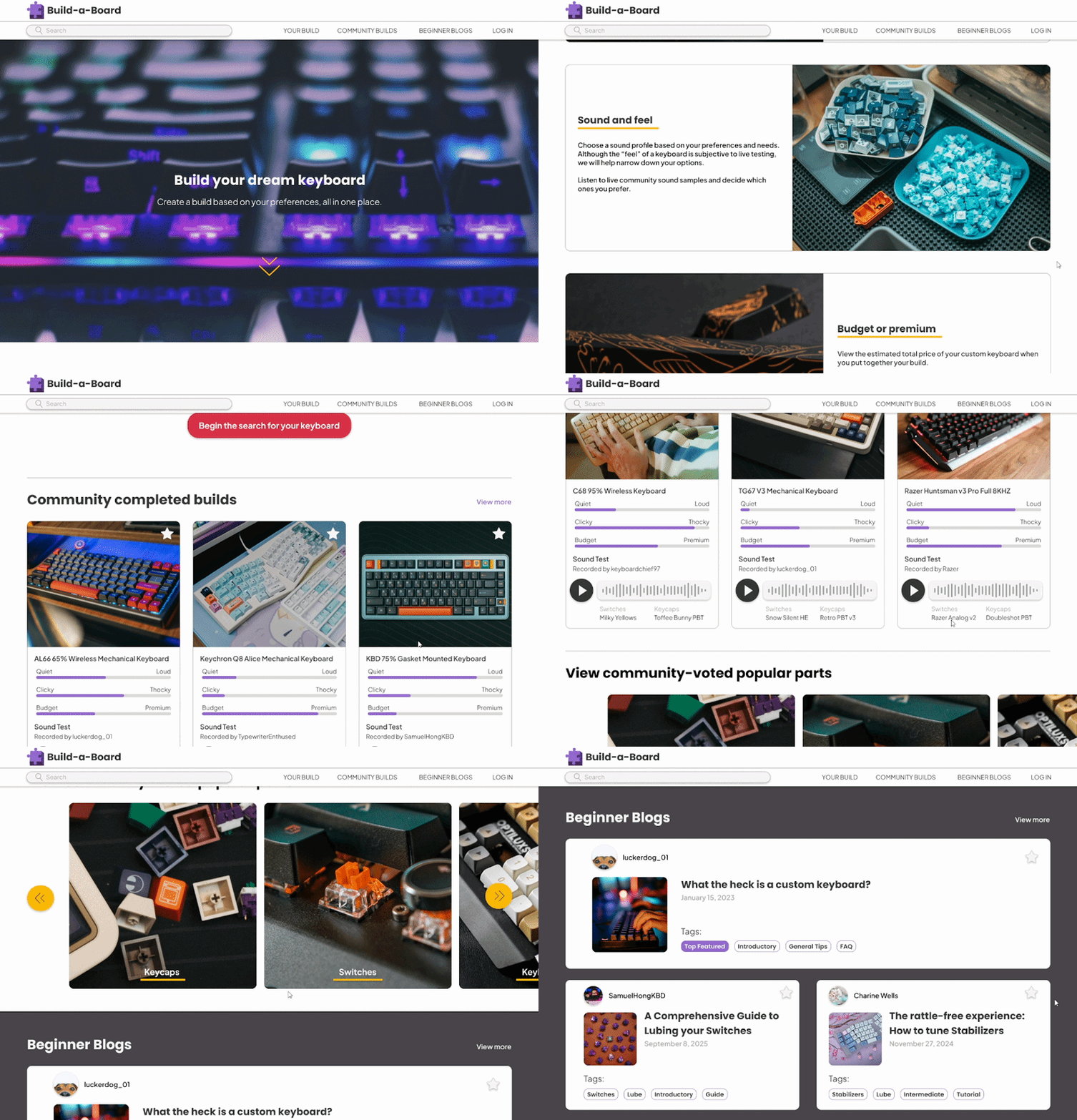
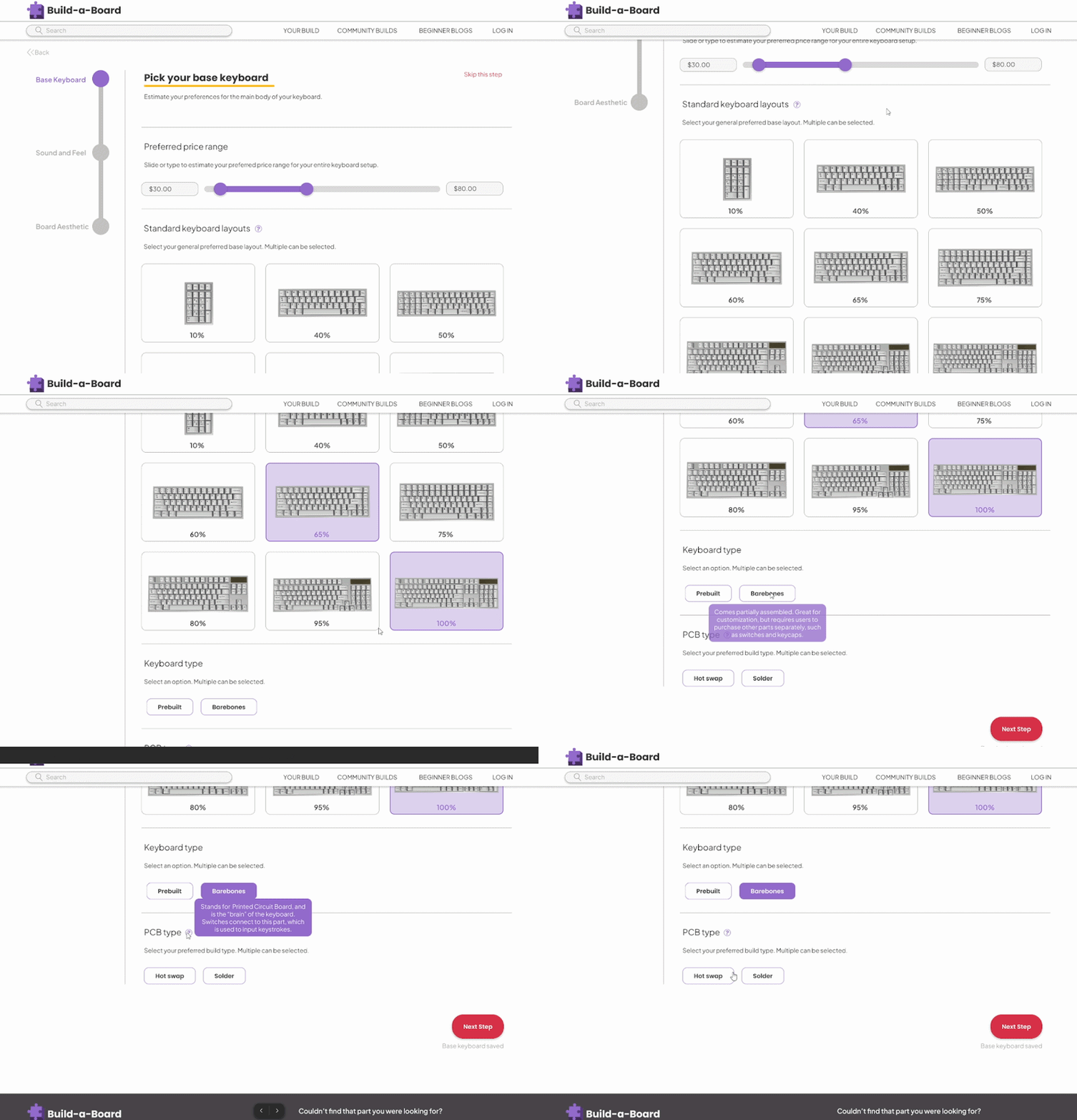
Build-a-Board is designed to streamline technical obstacles by allowing users to focus on the aesthetic, sound, and feel of their board. Our database compiles the perfect parts of a complete keyboard based on custom user preferences, all while considering compatibility of the parts.
The Problem
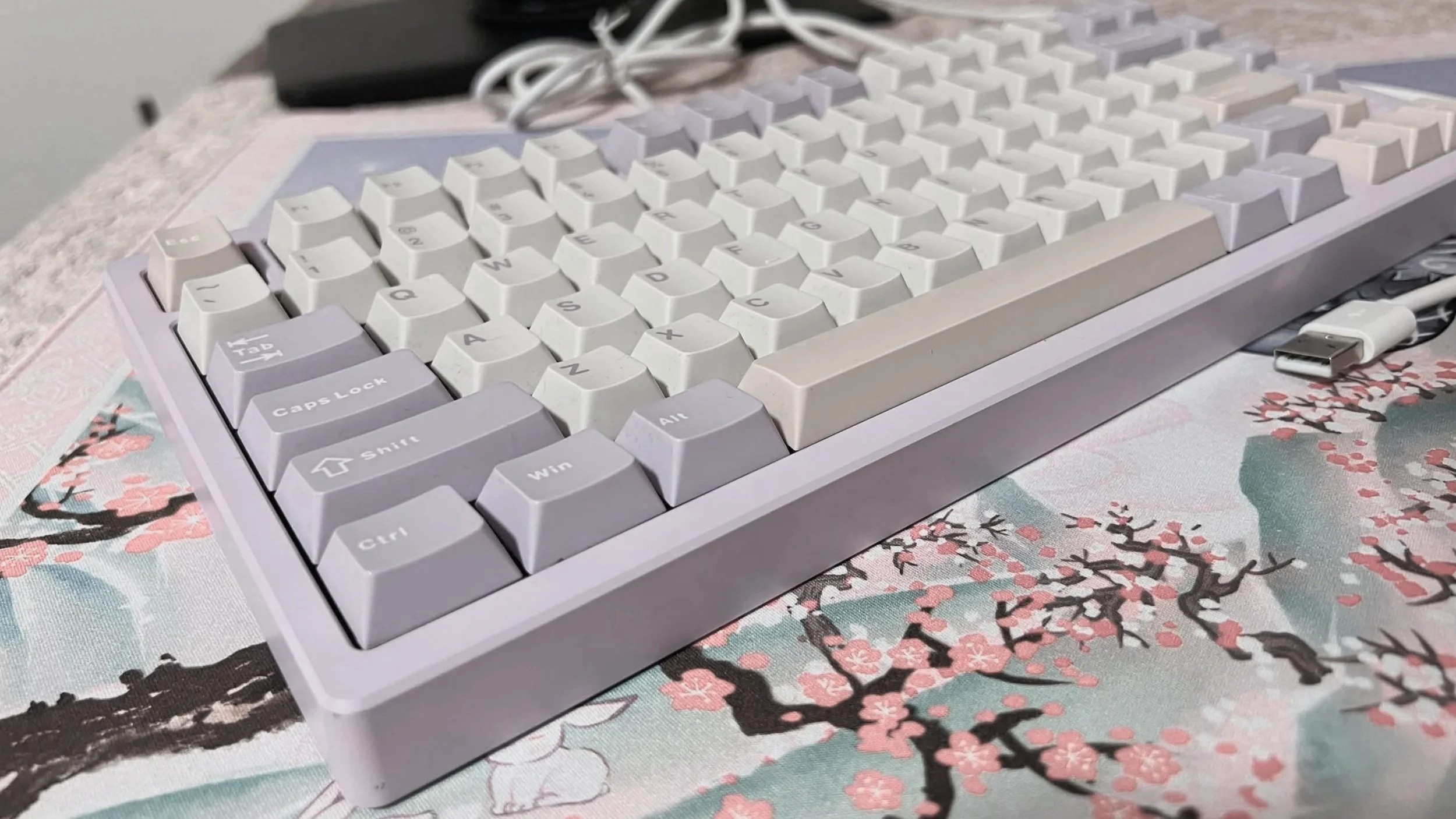
Custom keyboard building is a niche activity that feels daunting for many newcomers. While it’s considered a hobby to some, others look for a single keyboard that suit their day-to-day needs.
There are several online sources that point to introductory information, but there are too many factors that feel unintuitive and complicated.
Furthermore, keyboards can be expensive, which makes it difficult for users to justify spending on poorly understood keyboard parts.
My role: Product + Brand Designer
Tools: Figma, Adobe Photoshop, Google Spreadsheets
Project Duration: Six weeks
Table of Contents

Research
In 2021, according to the United States Census Bureau, 81% of U.S. households own a desktop or laptop computer. As a result, millions of users use keyboards alongside their personal computers. With over 1.4 million Reddit users in the r/MechanicalKeyboard subreddit alone, there is a growing interest in the creative freedom of customizing the most important tool that users employ in their daily computer usage: a keyboard. With this information, I wanted to learn about existing online resources and competitors to help streamline the process of creating a mechanical custom keyboard.
Research Goals
Understand the motivations of users who wish to customize keyboards.
Finding out user pain points and frustrations when picking parts.
Research and analyze competitor websites and what they offer to the scene.
Pinpoint features that will be valuable to beginner hobbyists.
Competitor Analysis
With my analysis, I found that the sites that offer a customization option are storefronts that sell their own products specifically. This meant a smaller range of options, with a focus on advertising their products.
Kinetic Labs had the most beginner friendly website design, with features that guided users. There are some general websites like Keyboard Simulator that focus on general color and aesthetic, but there is no way to create a tangible keyboard based on what the user chooses.
Competitor analysis chart.
User Interviews
I interviewed several users between the ages of 24 to 33 who have an interest in custom keyboards to understand the challenges they face when tackling the hobby. While some participants possess surface-level information, others are knowledgeable and have built several keyboards in the past. The user interviews revealed four common key insights:
1. Figuring out your own preferences can be a challenge.
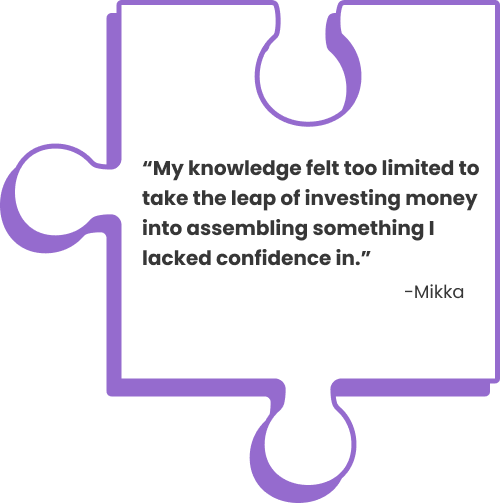
Participants felt difficulty understanding their own preferences. Subjective online descriptions with confusing jargon makes picking keyboard parts feel like a shot in the dark.
2. Overwhelmingly scattered information across the internet.
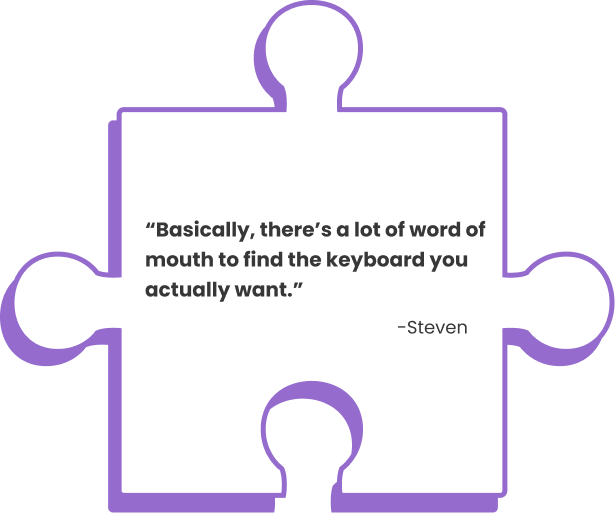
With fragmented information coming from several sources, users lose patience and ultimately feel discouraged from further pursuing a build. Beginners feel unwelcomed.
3. Technical barriers can prevent the search for an aesthetic.
Beginner participants looked primarily for aesthetic and sound. The technical specs felt more like a wall that they had to overcome to get to their goal.
4. Price is often a consideration.
The parts are expensive for users to justify purchasing. If users want to shell out money, they want to understand where their money is going towards.
User Empathy and Personas
After thorough research and insightful interviews, I created three user personas that may use a keyboard building website. I focused on a range of knowledge levels, as the goal is to make the website accessible for everyone.
However, since my competitor analysis revealed that custom keyboards are not beginner friendly, I felt that it was important to focus on a beginner enthusiast as the primary persona.
Goal-oriented beginner: Focused on an easy one-time keyboard build to reach a goal.
Knowledgeable veteran: Has built several keyboards in the past.
Beginner enthusiast (primary persona): Willing to invest more into custom keyboards if her first build experience is enjoyable.
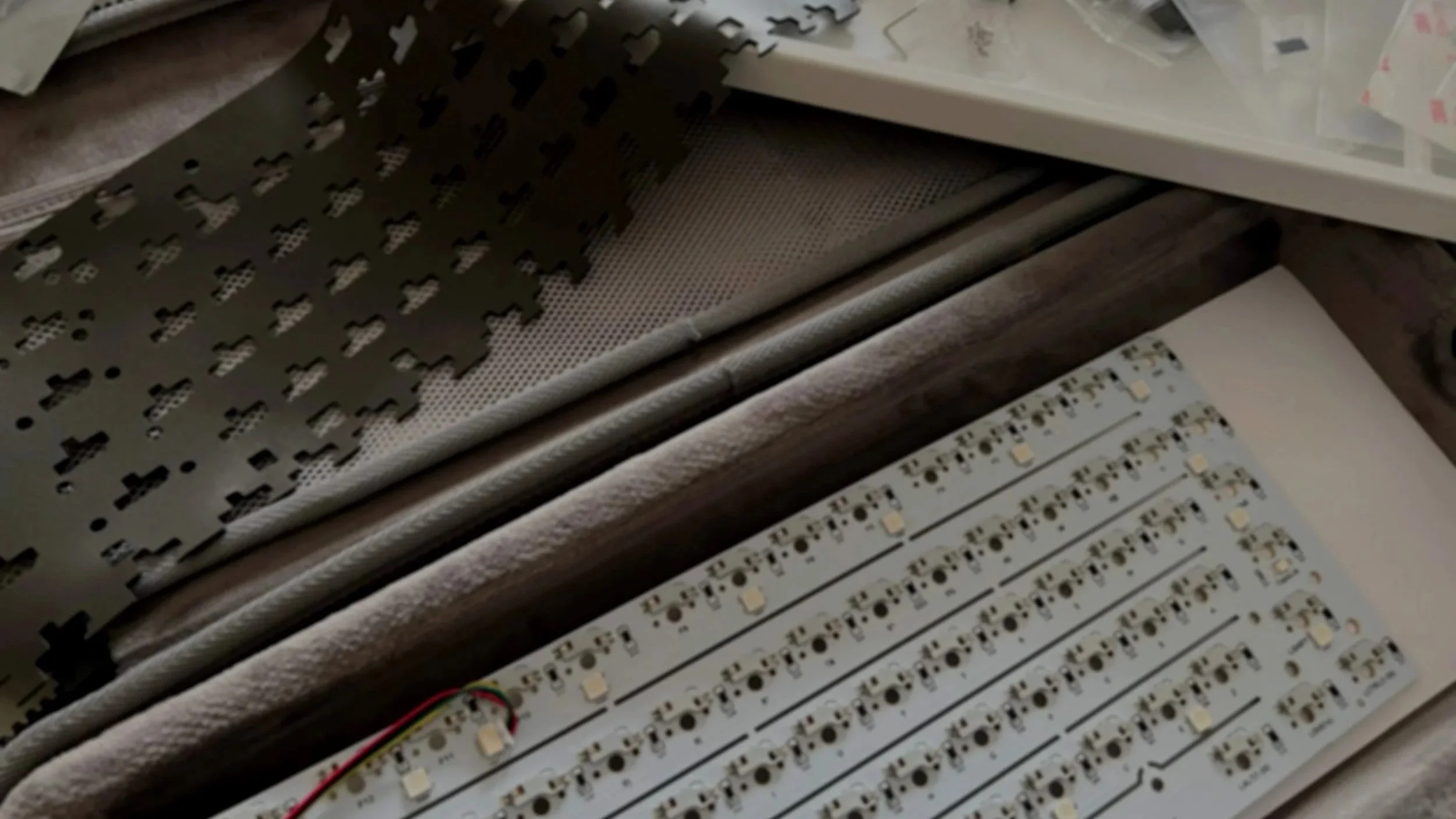
Understanding current custom keyboard scene, I strove to answer the question:
How can I make the entry into custom keyboards more welcoming?
Ideation
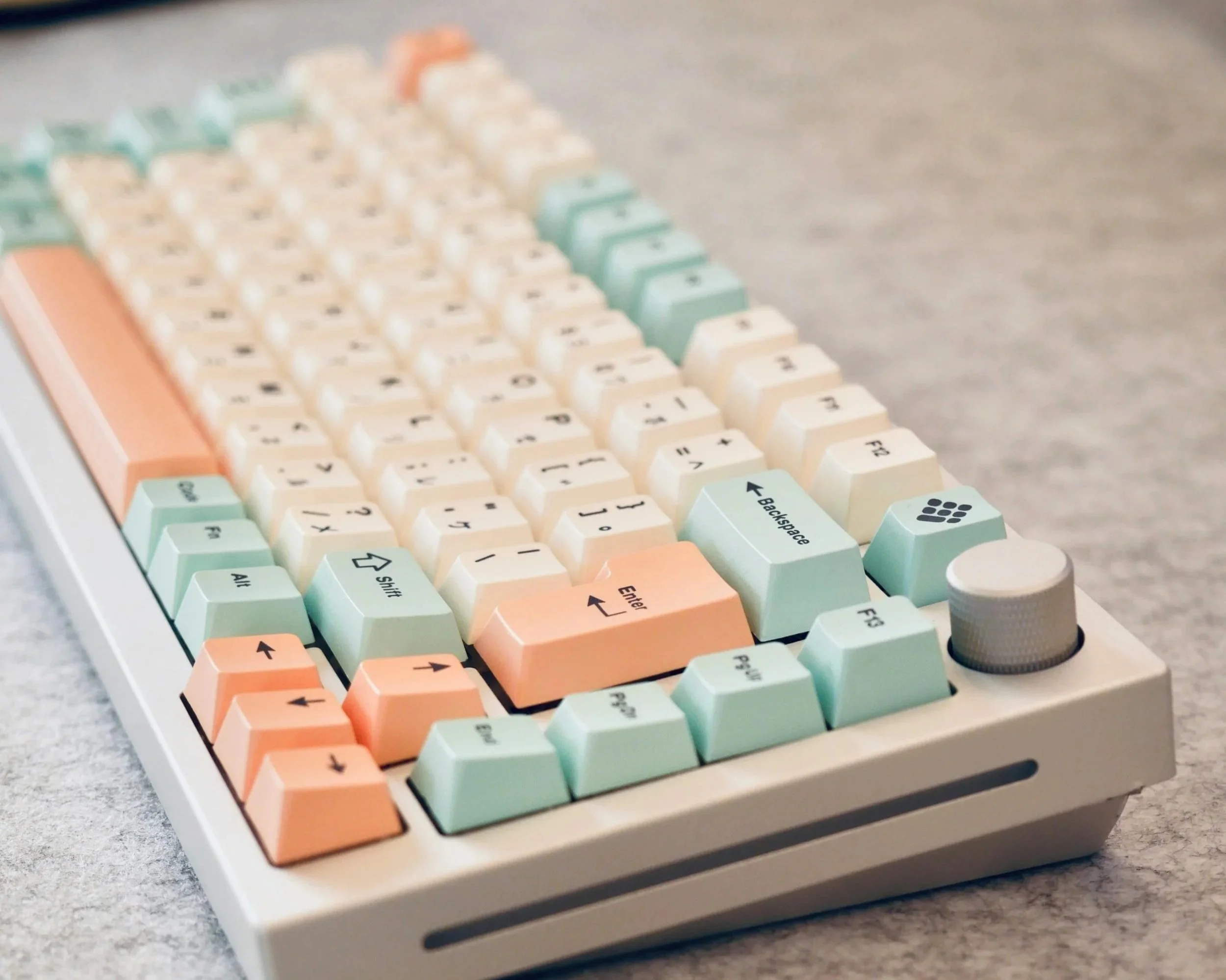
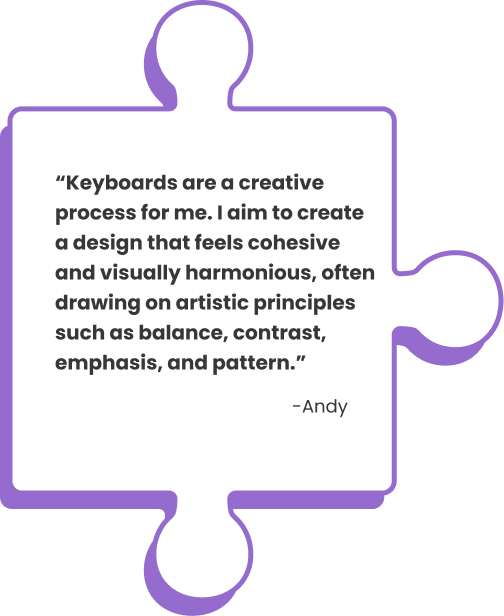
Custom keyboard building is complex, with subtle nuances that set it apart from the more modular, pick-and-choose nature of PC building. Although my initial idea was to help beginners list together keyboard parts with compatibility indicators and stock notifiers, I felt that it would not serve as an effective tool to satisfy my newcomer personas’ aesthetic goals. Thus, I focused on three main features for Build-a-Board:
Provide explanations to help beginners with unfamiliar terms.
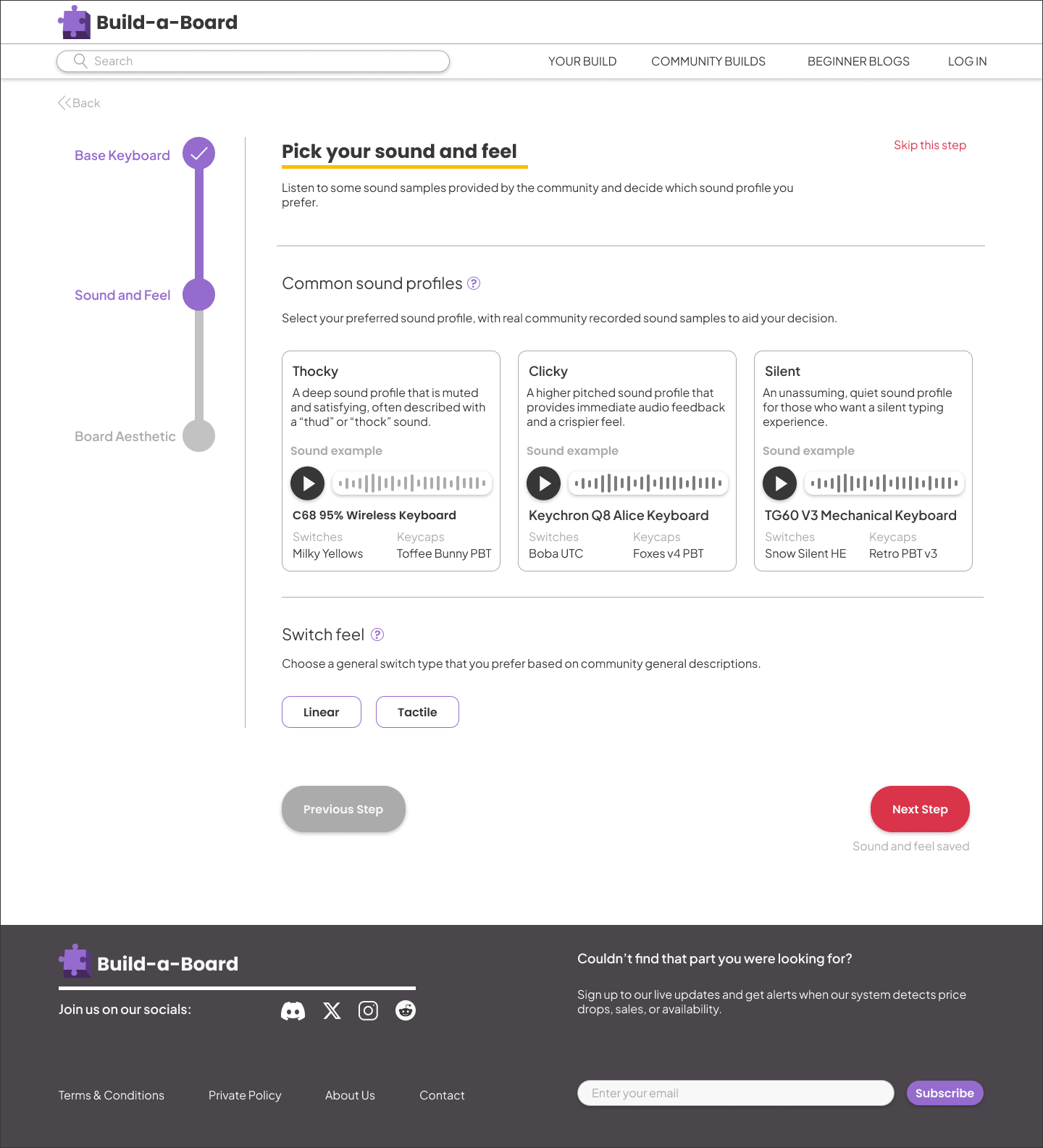
Include sound profile samples with real type test recordings.
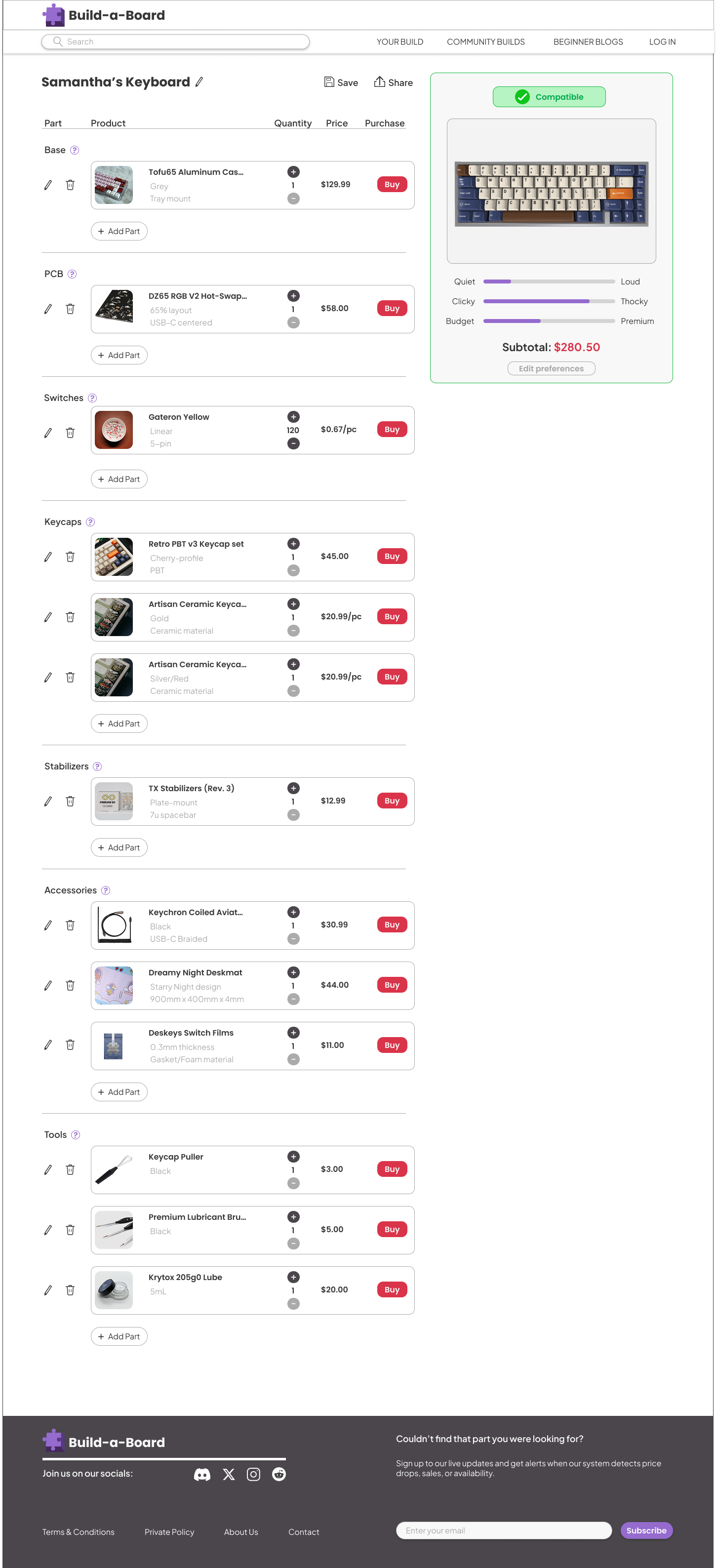
Create compatible build suggestions based on preference with an updating visual preview.
Sitemap
To begin the process of Build-a-Board, I created a sitemap designed to help users realize their goal of accumulating all the complete keyboard parts necessary for their build. I considered flexibility in a user’s task flow, allowing them to prioritize any section they deem as important.
As of now, Build-a-Board is primarily focused on the process of selecting keyboard parts. Other major features, such as an extensive community environment and helpful tutorial blogs will be expanded on upon further development in the future.
Design
Low-Fidelity Wireframes
My design process started with low-fidelity sketches to help map out my goals. The task flow resembles a character creation menu in a video game, to help users familiarize themselves to a flexible part selection process. In the “Final Keyboard” section, I wanted to make the final live preview visible 100% of the time, even while editing parts, so users don’t need to swap back and forth between screens to view their constantly updating design.
Mid-Fidelity Wireframes
I focused on making the user flow accessible and simple. Based on user insight, technical jargon detracts from the excitement of picking parts to build a keyboard. Making the site feel welcoming was my first priority.
To alleviate these pain points, I introduced selection-based options, which allow users to catch a glimpse of available options visually and audibly. Included are short informative explanations, defining unfamiliar terms without needing users to search it up themselves.
Style Guide and Design
The nature of Build-a-Board is similar to a puzzle, fitting together parts to reveal a bigger, beautiful picture. I designed the site to feel simple and minimalistic, so users don’t feel overwhelmed by unnecessary clutter.
High-Fidelity Wireframes
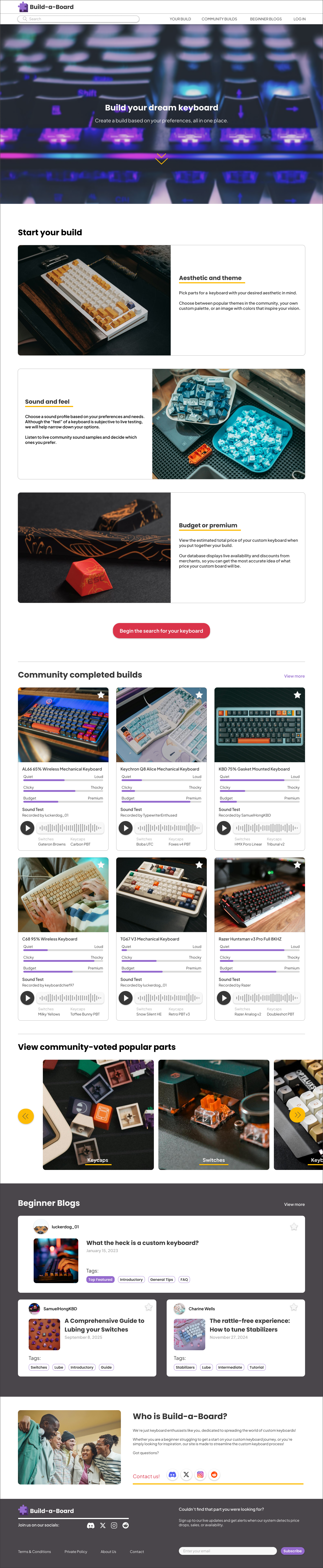
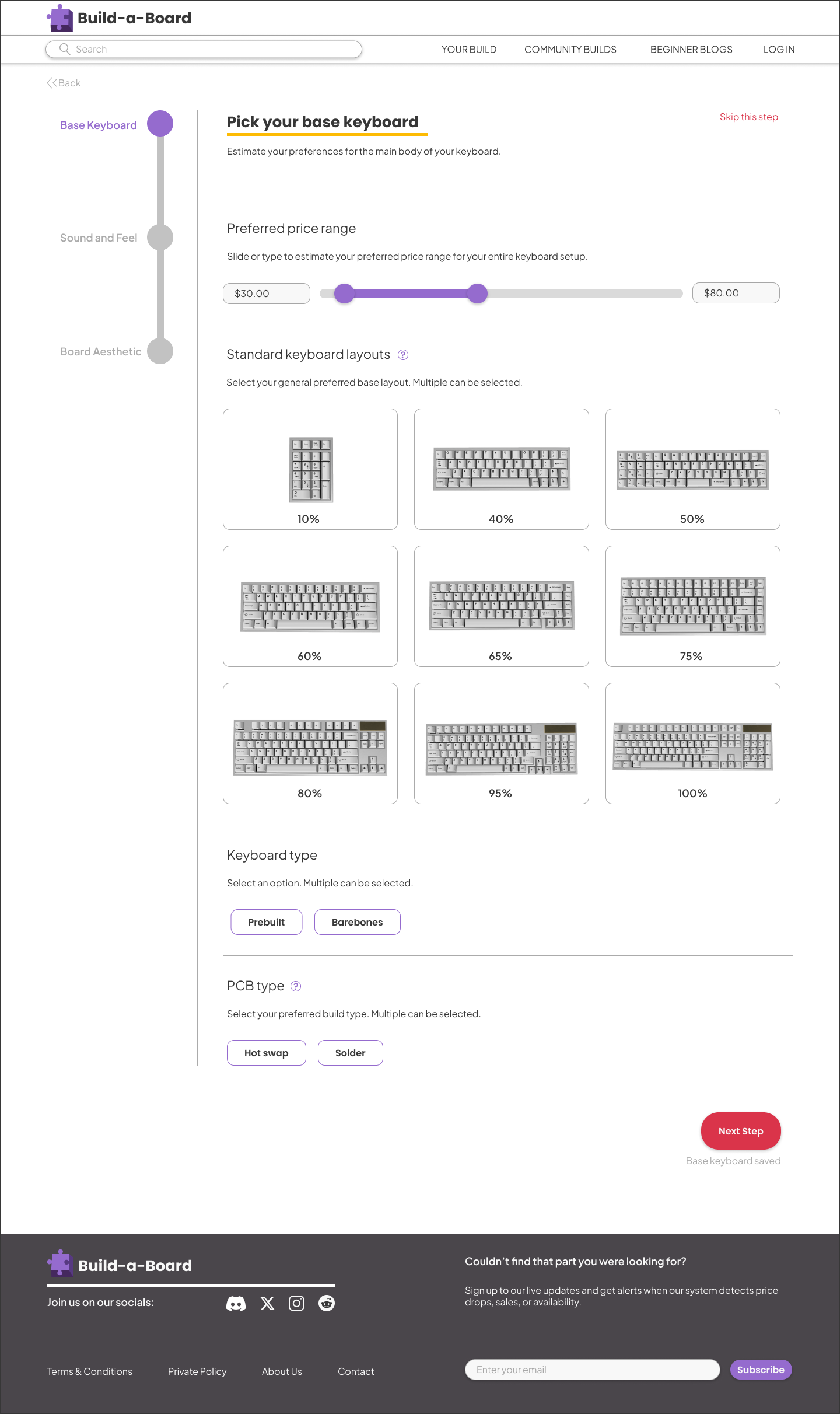
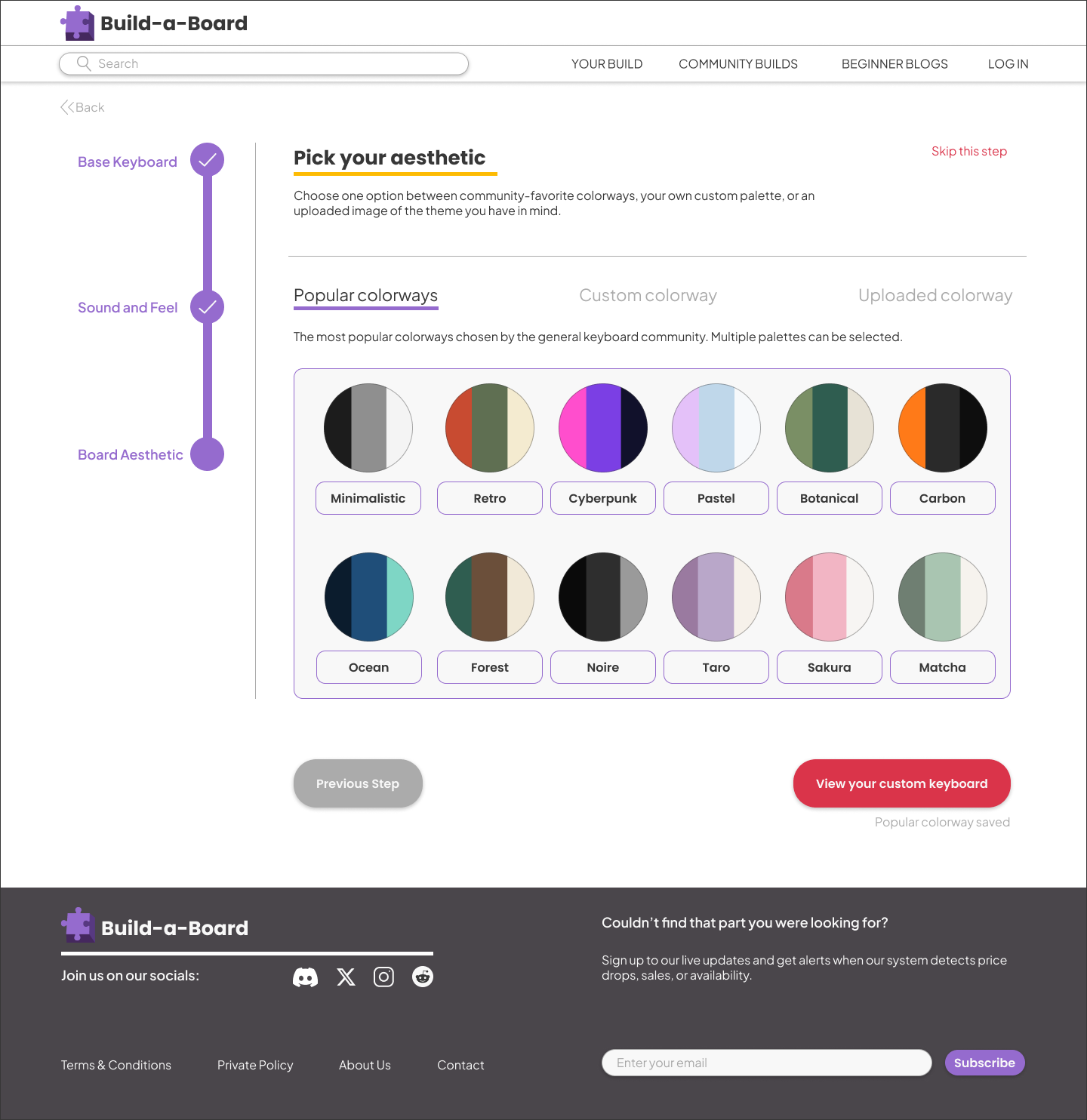
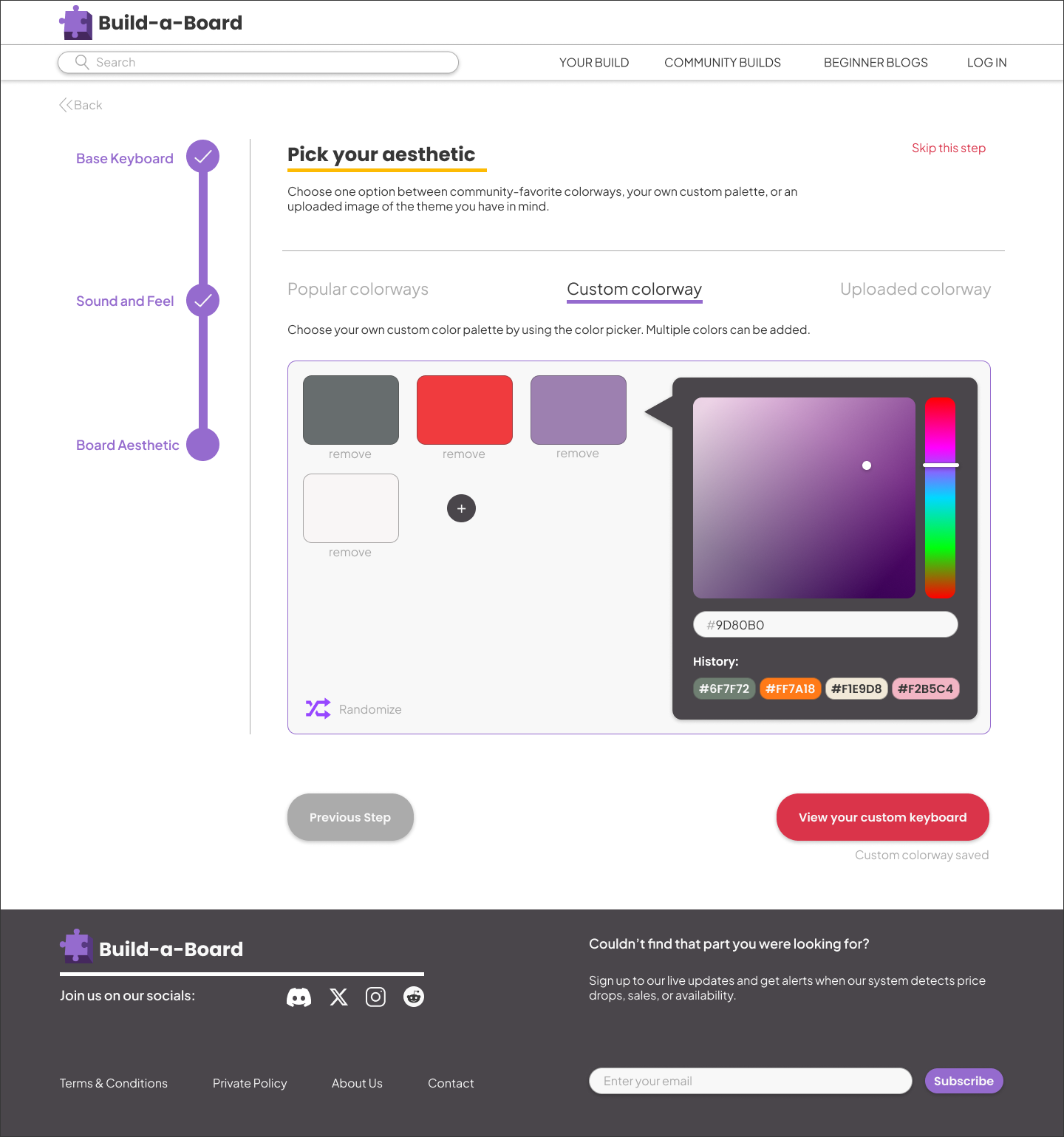
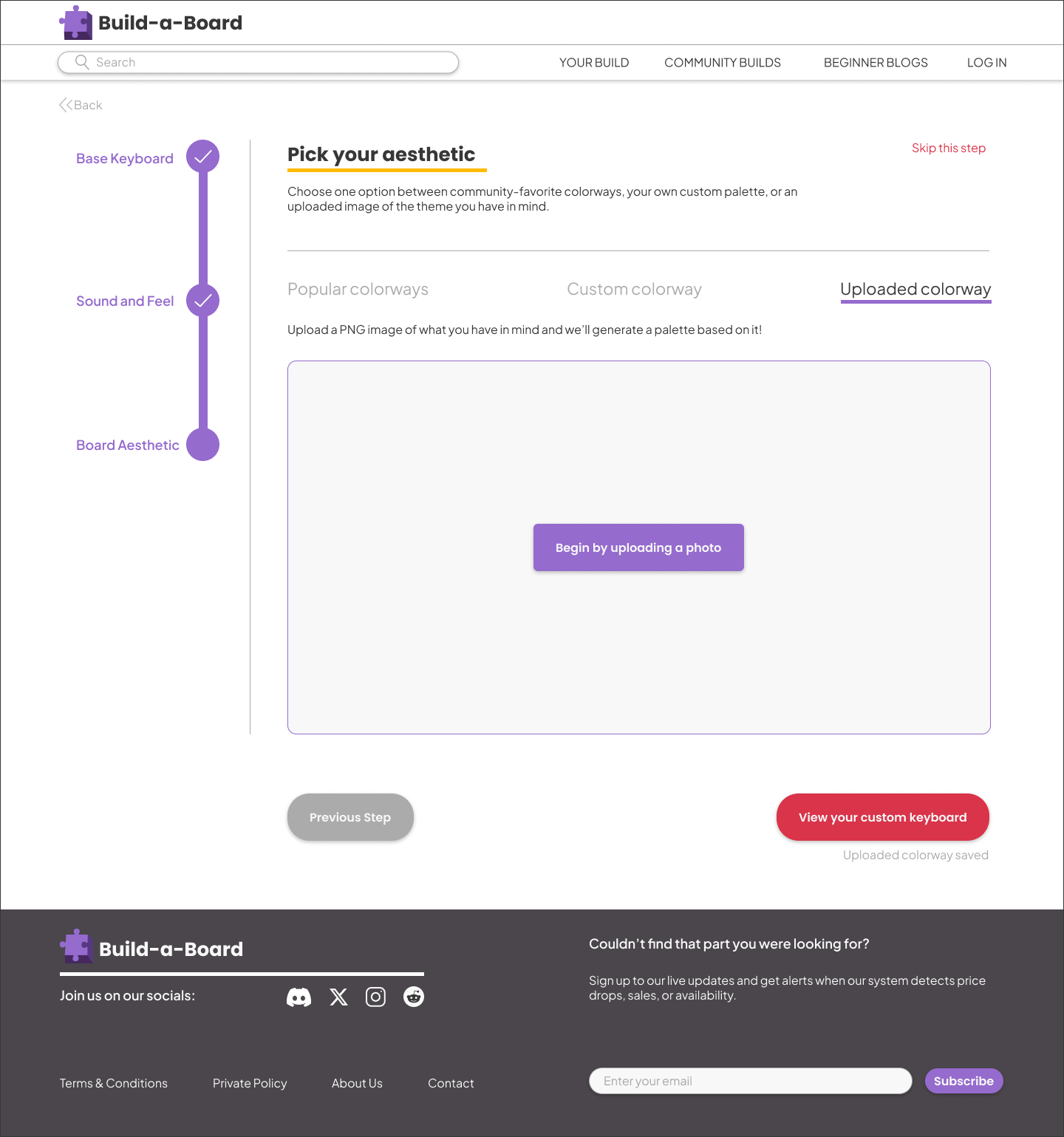
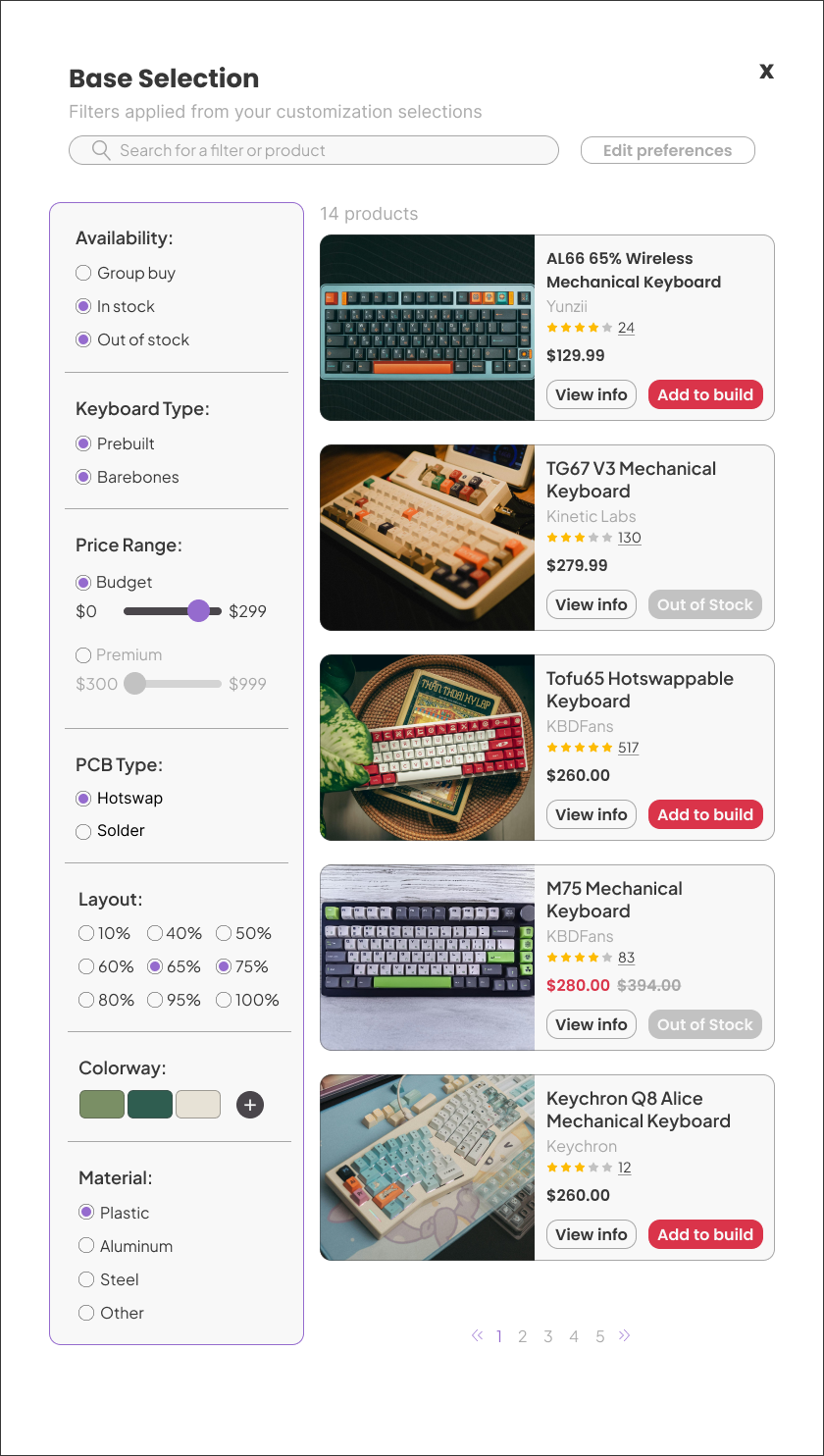
Intuitive and straightforward, I designed Build-a-Board to be welcoming for newcomers to custom keyboards. The step-by-step nature of picking preferences makes it so users are able to filter parts based on their desired board size, sound and feel, and aesthetic theme.
User Testing
Throughout Build-a-Board’s production, I continuously tested the prototype with users that are interested in building their own custom keyboard. Users enjoyed the straightforward path to picking parts, as the built-in clarification pop up bubbles were considered extremely helpful. However, there is room for improvement in certain aspects of the UI and flow.
Adjustments to the UI
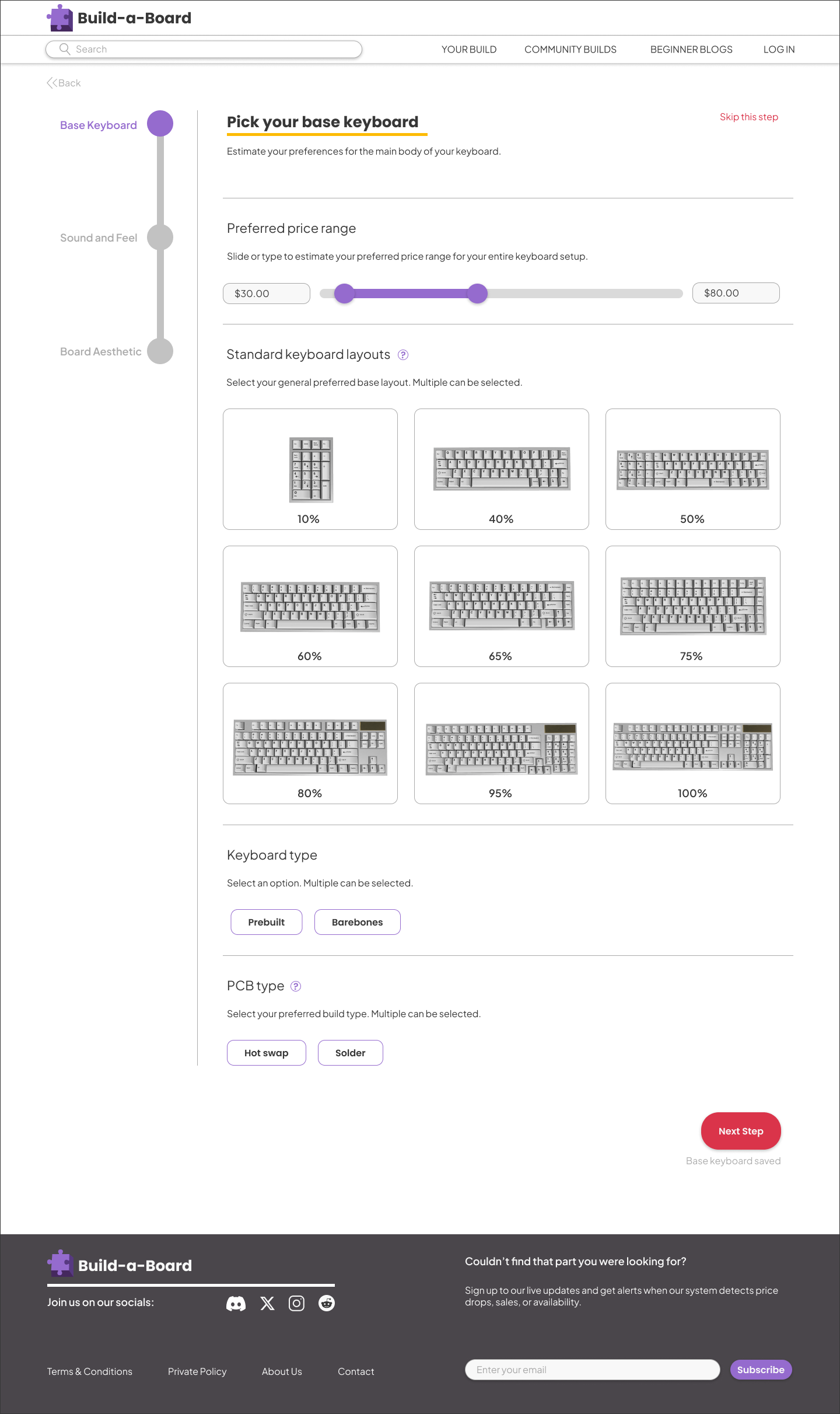
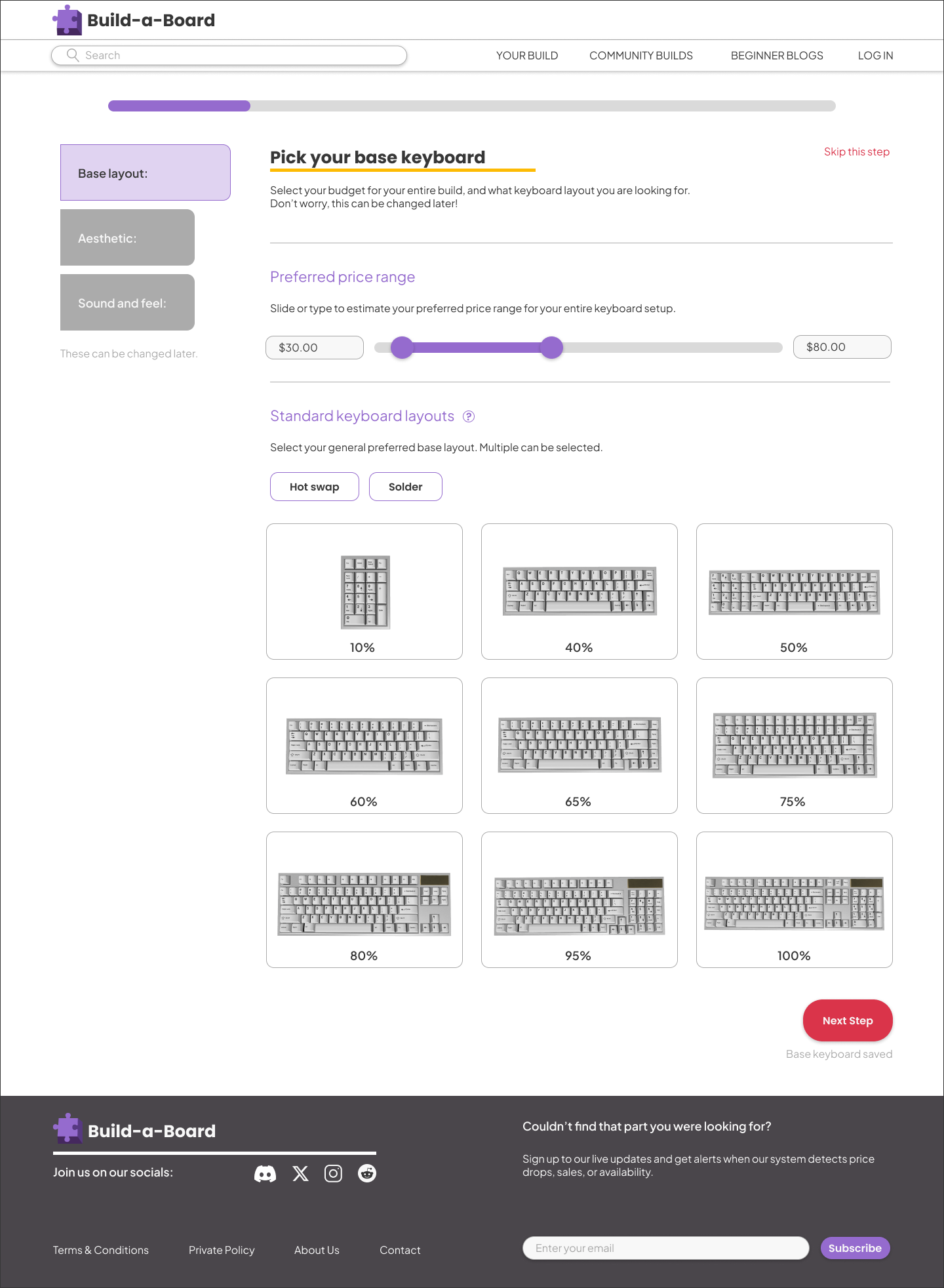
Users expressed that the progress bar was was too similar to the price slider, and the process of picking parts felt too short to justify one. To improve this problem, I combined the progress bar with the task bar to make it feel less redundant.
After
Before
A clearer way to pick an aesthetic
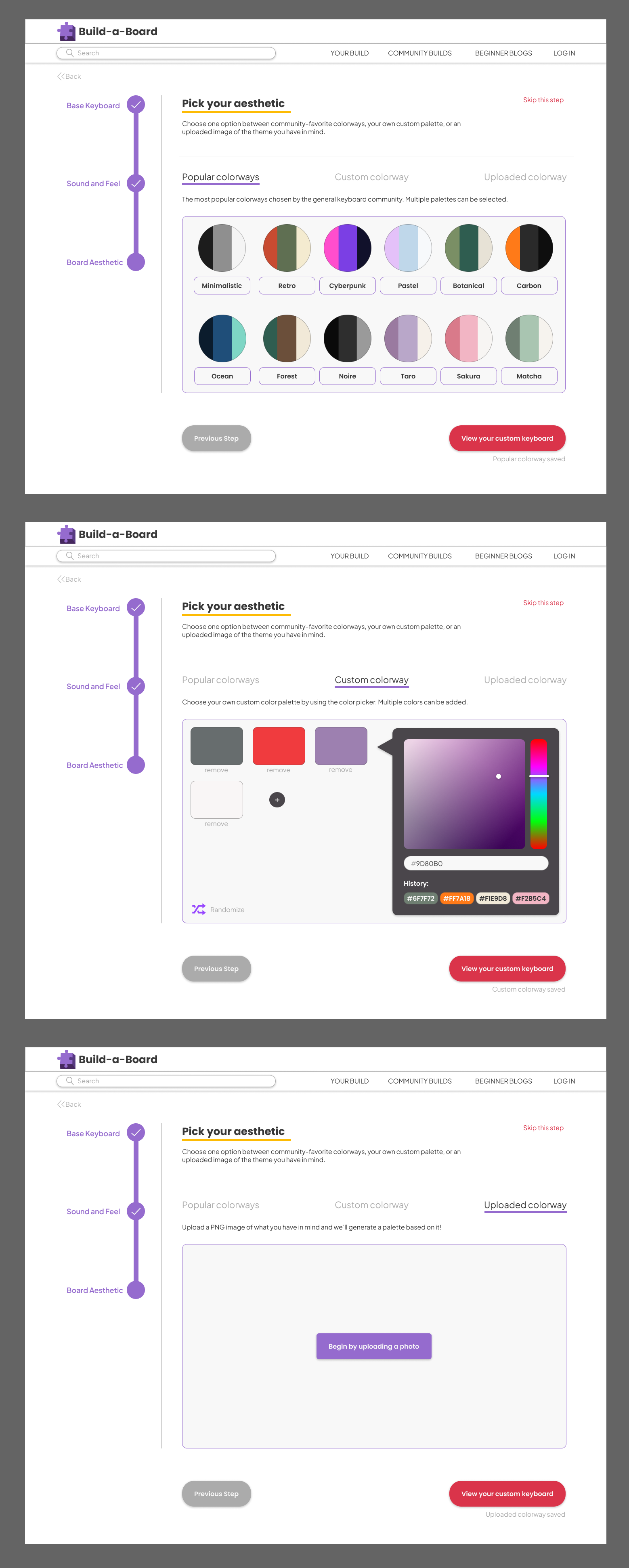
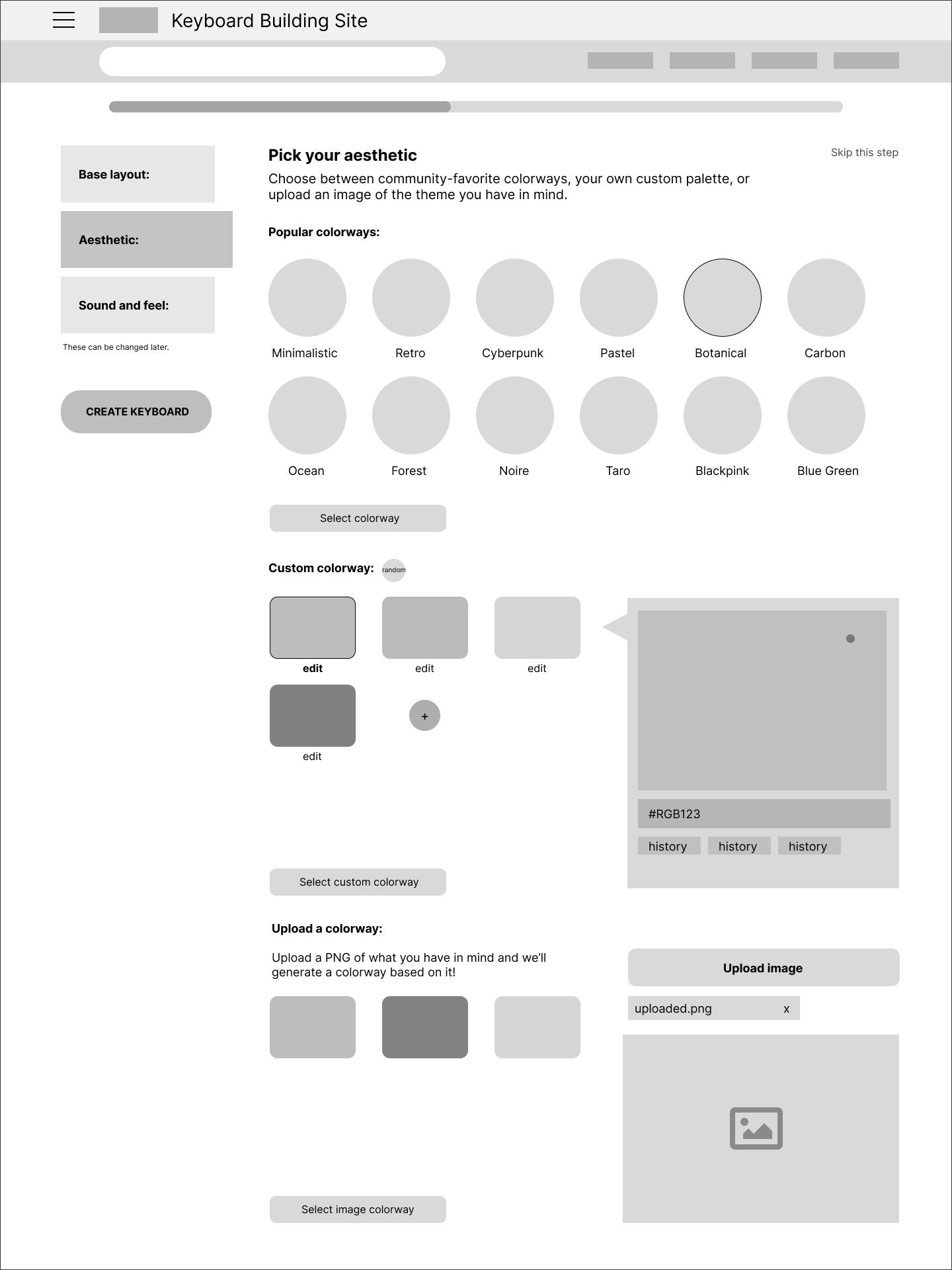
During the mid-fidelity wireframe process, users expressed confusion when it came to the “Aesthetic” section. Due to only getting to pick one colorway option out of three in one page, users thought they were meant to pick every option. As a solution, I split the “Aesthetic” section into three separate parts that can be selected depending on the user’s preferred style.
After
Before
A Delightful Loading Animation
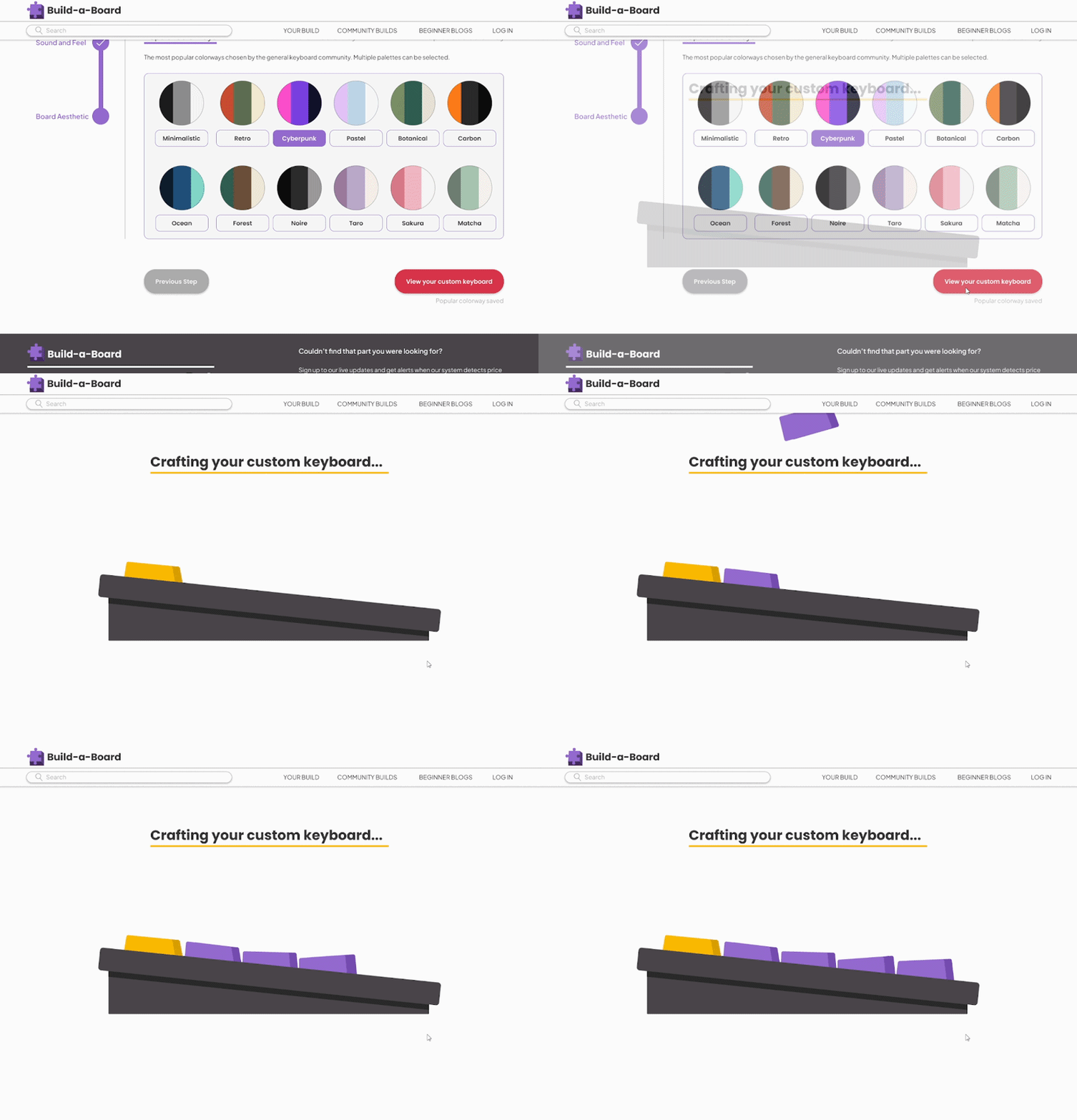
While testing Build-a-Board’s prototype, users were caught off guard by how quickly the final keyboard was generated. In order to give users reassurance that their preferences are carefully taken and considered, I created a loading animation before the final keyboard gets revealed. This added delight and a sense of satisfaction to testers.
Final Prototype
Try building your own keyboard!
Reflection
Build-a-Board was a challenging design project that filled a necessary gap in the ever-evolving keyboard space. I continually put myself in my user persona’s shoes, asking questions like:
How can I introduce information on individual parts without overwhelming beginners?
How can I assist users in achieving an aesthetic goal without intimating technical barriers?
With such a scattered keyboard space online, how can I condense information so users can feel confident in the information they learn?
When I tested Build-a-Board with users, I felt satisfaction solving the issues they had with the beginning of their keyboard journey. With further development time, I’d like to continue implementing the community-driven aspect of the site. Since the online keyboard scene largely relies on online forums such as Discord or Reddit, I want to include full details on community completed builds, informative blogs for beginners, updates on ongoing group buys, and information on popular parts.
With the subjective nature of custom keyboard making, a single website cannot solve all the problems that users can have. However, I believe that an informative and welcoming user experience can encourage people to pursue their dream build. Build-a-Board indicated that users are willing to keep an open mind to difficult information, helping them feel closer to a community that used to feel out of reach.